Brimbox
Turn your MacBook notch into a toolbox
About Brimbox
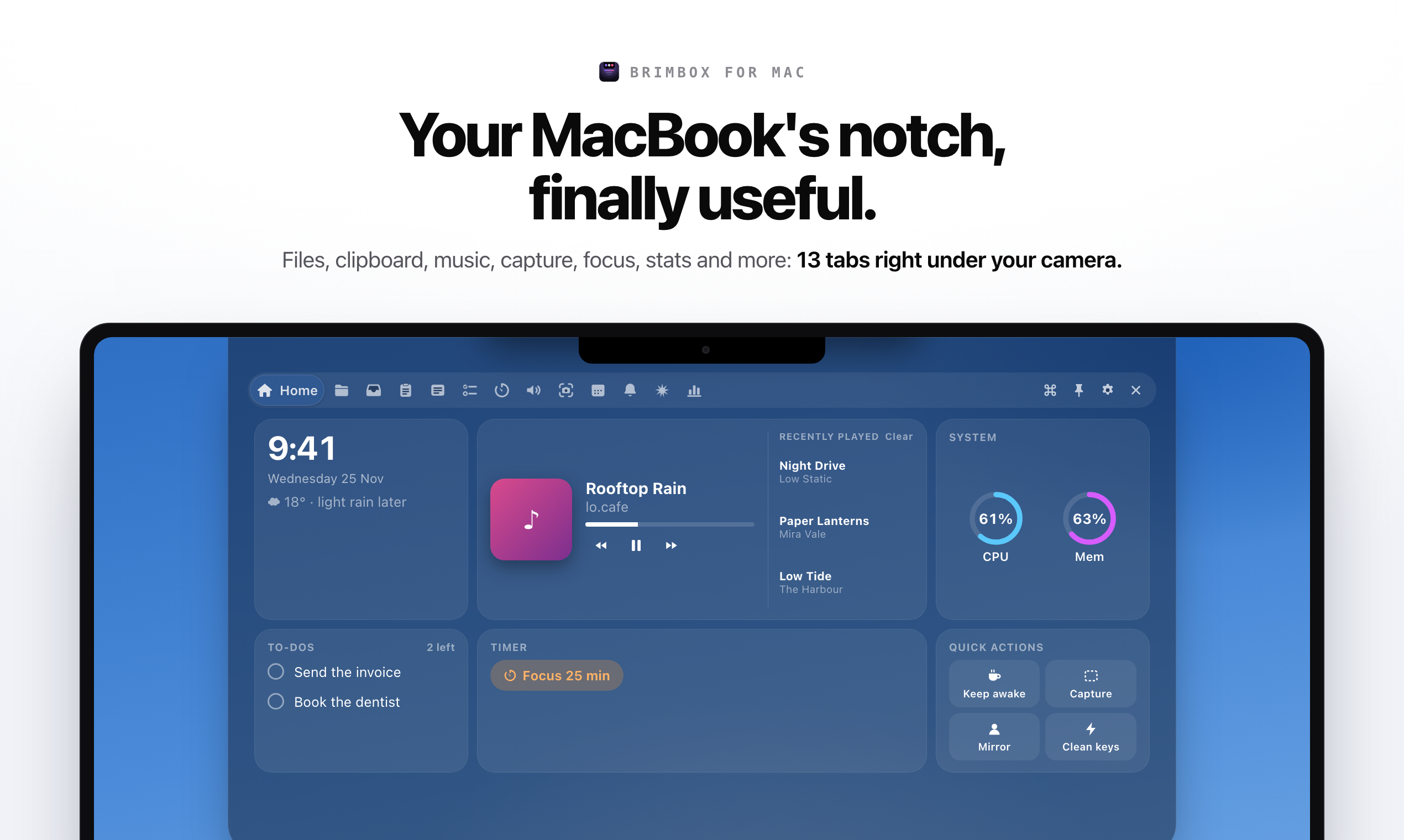
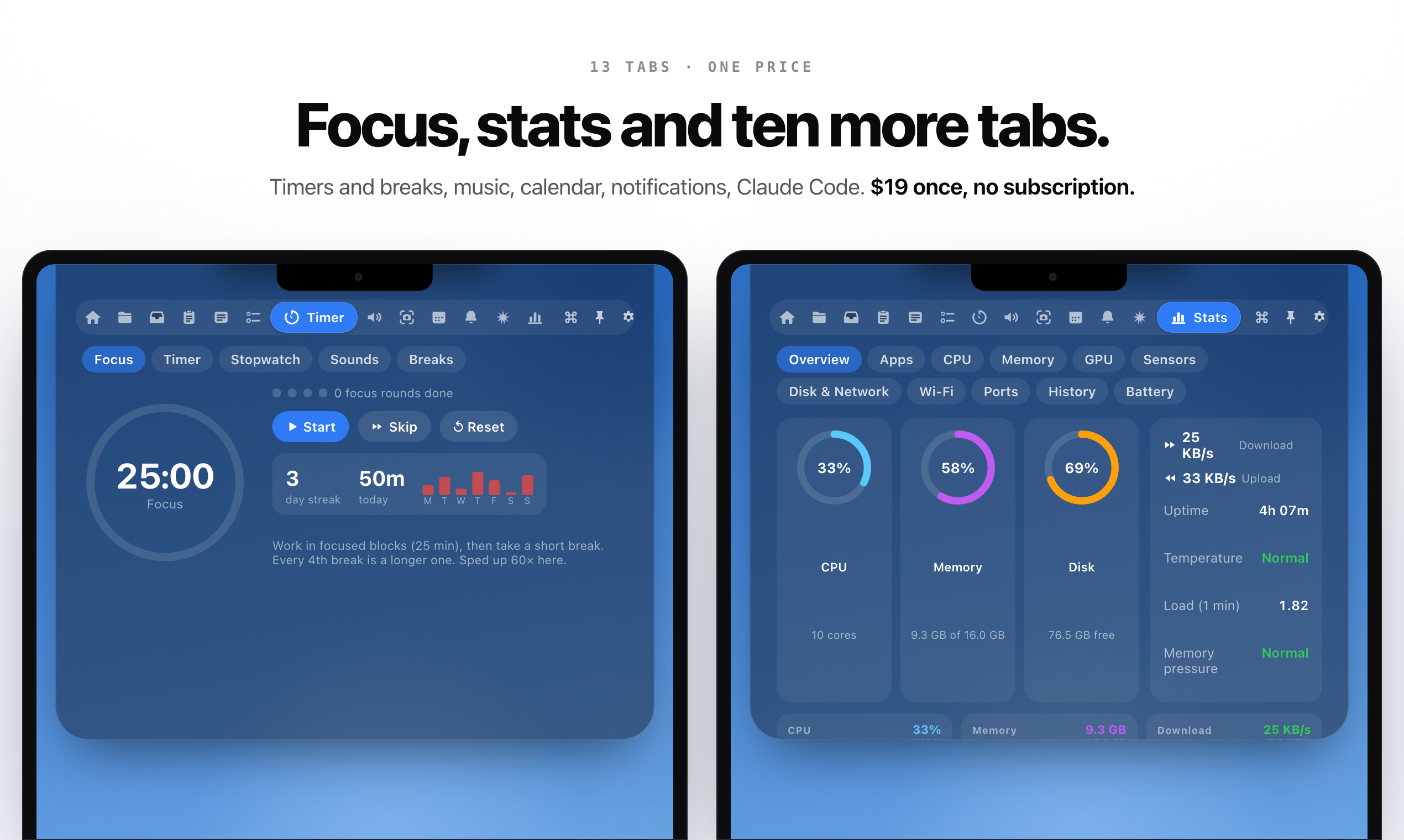
Brimbox is a productivity and utility application designed for macOS users that transforms the MacBook notch into an interactive toolbox. It places thirteen functional tabs and nearly a hundred features right under the camera, allowing users to access files, clipboards, notes, to-dos, timers, sound controls, captures, calendars, and system statistics without switching applications. It is built for Mac users, developers, and power users who want quick access to everyday tools.
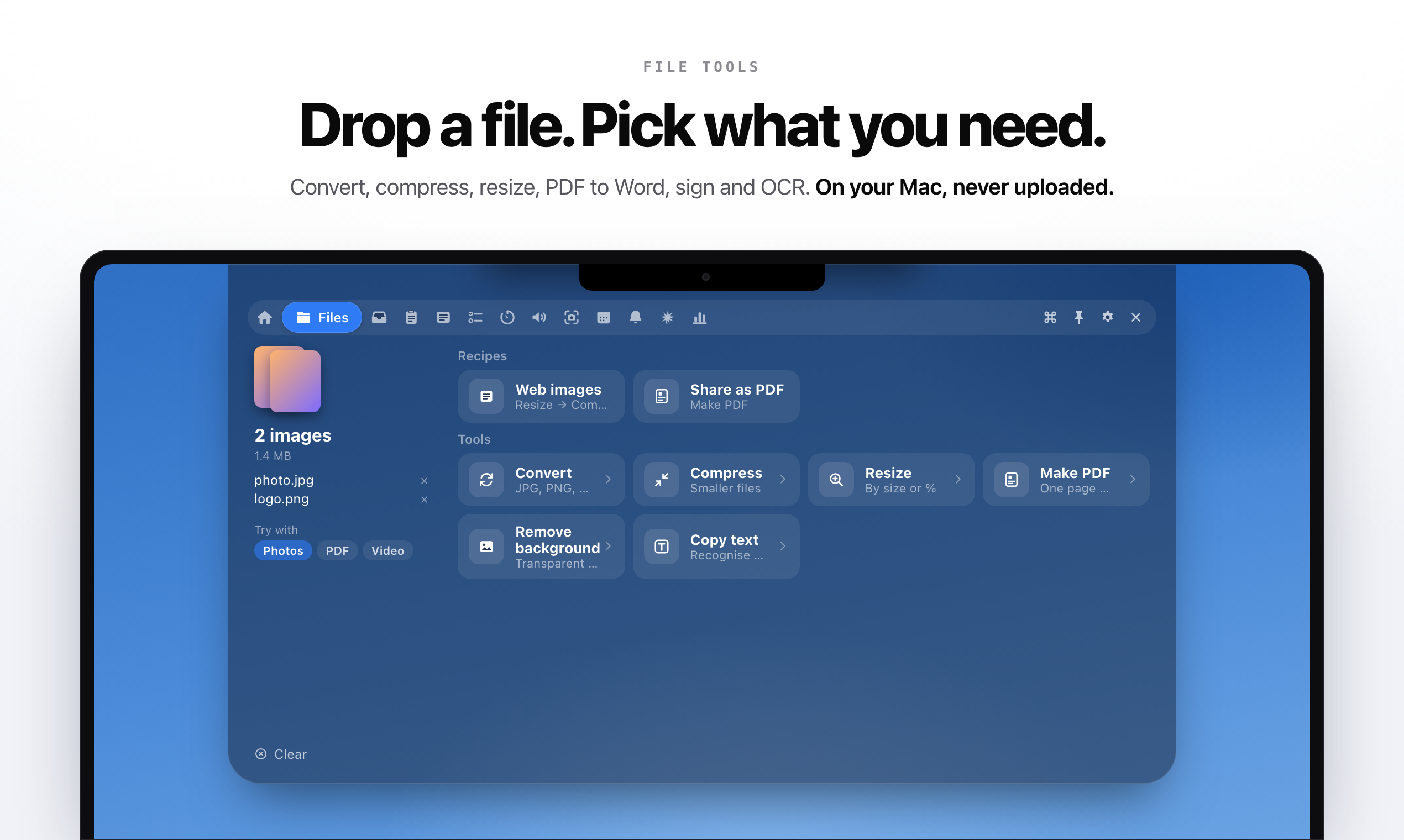
- Convert, compress, resize, and edit images, PDFs, and media files directly on your device without uploading them
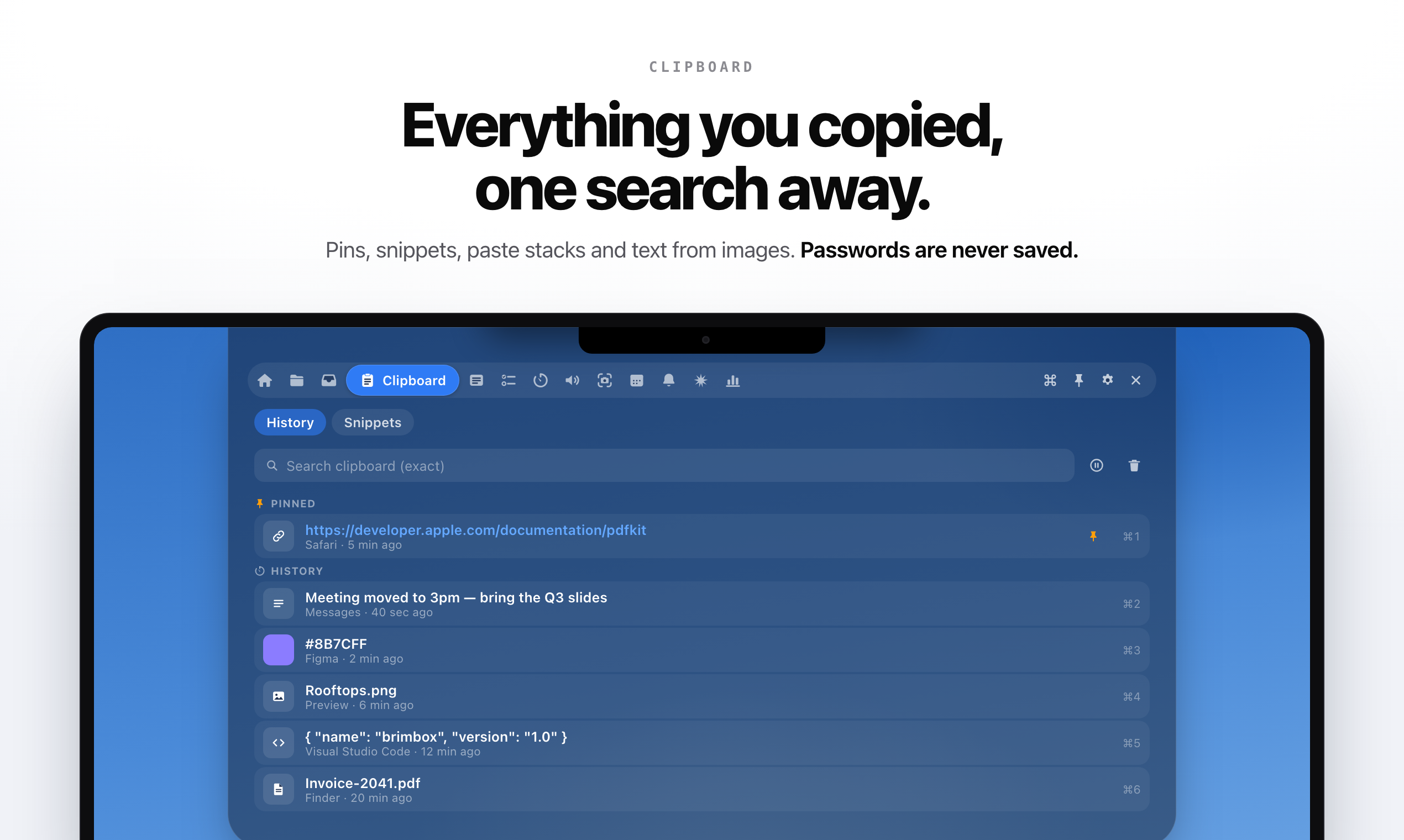
- Access a searchable clipboard history, text snippets, and quick text formatting tools
- Manage focus sessions, timers, reminders, and ambient sounds
- Monitor system statistics, CPU per core, memory usage by app, and open network ports
- Track Claude Code sessions, terminal commands, and developer metrics
Ask AI about Brimbox
Get a quick summary, pricing, pros and cons, and alternatives. The question links to this launch page.
Opens in a new tab with the question filled in. Gemini opens in Google AI Mode.
Discussion
Join the discussion: ask the maker a question or share feedback.
Sign in to commentNo comments yet. Be the first to say something nice.